Using Your Desktop as a Chrome Application
A frequent issue when accessing your desktop through a browser tab is that certain keyboard shortcuts—like ctr+W and ctr+F4—get captured by the browser rather than reaching the application.
A straightforward fix is to turn the site into a standalone app using Chrome (or any Chromium-based browser).
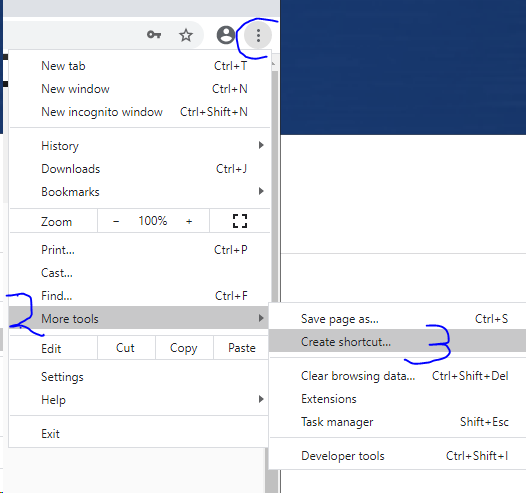
1. Navigate to More Tools > Create shortcut, and save it to your computer’s desktop
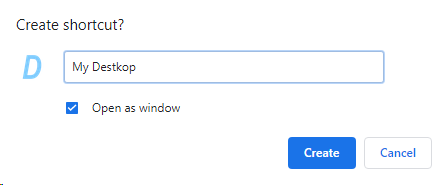
2. When the shortcut is being created, check the option ‘Open as window’
3. Launch your new app by double-clicking the desktop shortcut
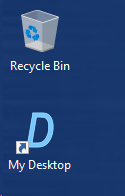
4. Now you can use the app, and all your essential keyboard shortcuts will function as intended