Overseeing Every Desktop Instance
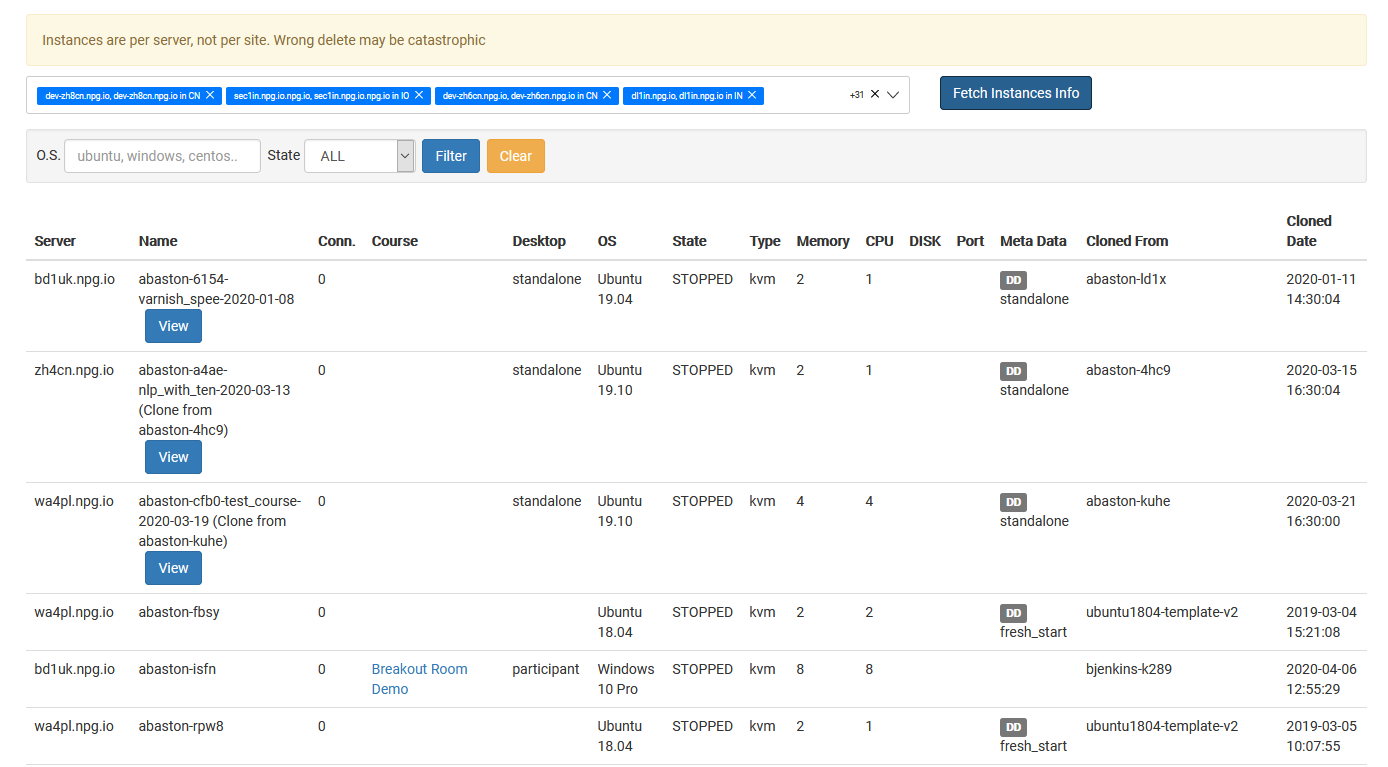
The Overseeing Every Desktop Instance page offers Super Administrators a unified dashboard for viewing and handling all desktop instances across the platform. It delivers a complete, cross‑organizational picture of every desktop, no matter which organization, course, or server it resides on, simplifying system‑wide monitoring and routine administrative work.
What you can accomplish
- See every desktop instance on a single screen.
- Search for and filter desktops to locate specific machines fast.
- Inspect the current state and key details of any desktop instance.
- Apply management actions to selected desktop instances when needed.
- Keep an eye on desktops across organizations, servers, and data centres all from one central point.
Who gets access
Overseeing Every Desktop Instance is a Super Administrator tool. It is meant for admins who must monitor and manage desktop instances throughout the whole DaDesktop platform, not just a single organization or course.