Copy/Move to Another Server
-
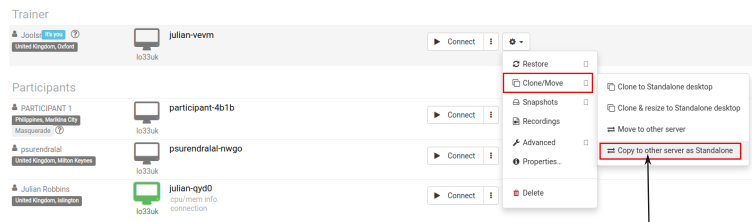
Once you've finished the preparation, start by stopping the standalone desktop. Then, open the action menu and choose "Copy to other server"
-
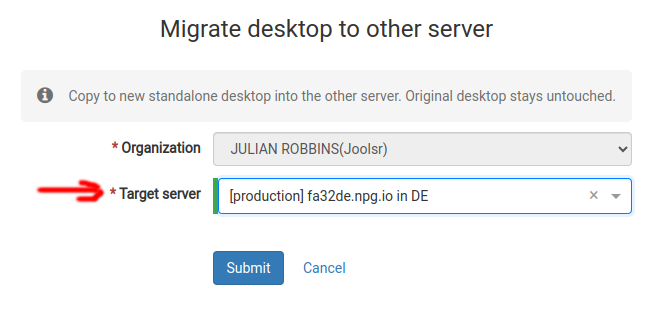
Choose the "Target server" you wish to copy to. If that server is located far from your location, you'll get a warning explaining why. A new Standalone will be created, with the same content but a different name and location.