Remote Replica
Remote Replica lets you duplicate your Fresh Start Desktop onto a separate server, usually in another location. Once configured, any modifications made to your machine are seamlessly and automatically mirrored in the background, with no further action needed.
This feature offers great flexibility and can be applied in several scenarios—we’ll cover two of them here.
Please note: at present, Remote Replica works exclusively with Fresh Start machines, though it’s also available within DaDesktop for Work (DD4W).
First: Create a Remote Replica (clone) of your desktop on a server in another data centre
For added peace of mind, you might create a Remote Replica of your desktop on a server in a different data centre, just in case the main server becomes unavailable. If that happens, you can simply carry on working with the replica, picking up exactly where you left off.
Initially, our Fresh Start machine is housed in the UK Data Center—for instance, bd3uk.
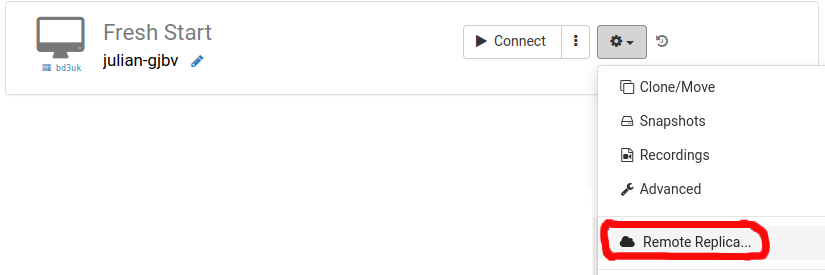
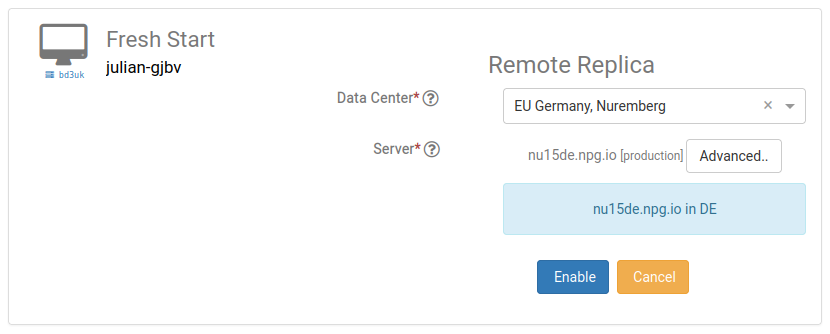
Pick the data centre you’d like to host your Remote Replica—ideally one distinct from your current machine’s location. You can opt for a different data centre or even another country.
Your Remote Replica desktop is now being built. The creation time depends on the replica’s geographical distance and your desktop’s size. Feel free to keep using your original machine as you wait.
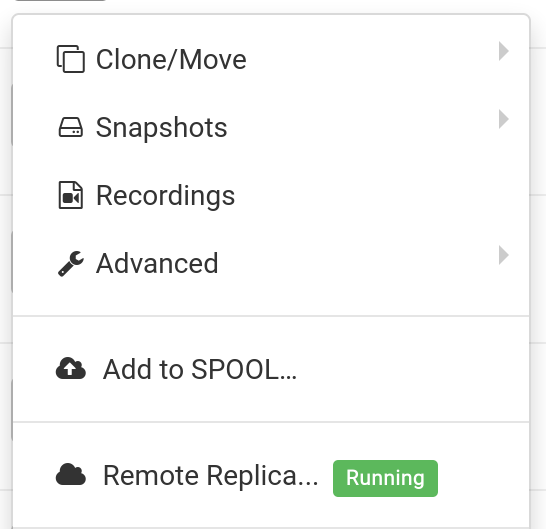
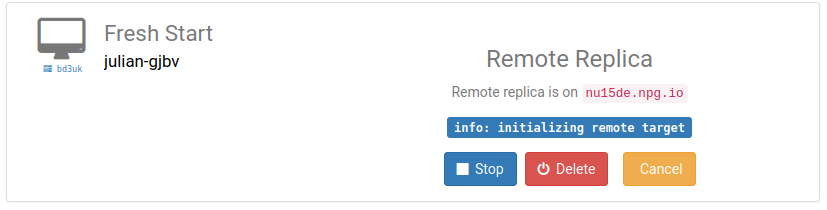
Restoring Remote Replica
Should you ever lose access to your FreshStart desktop for any reason, you can restore the Remote Replica that was previously created.
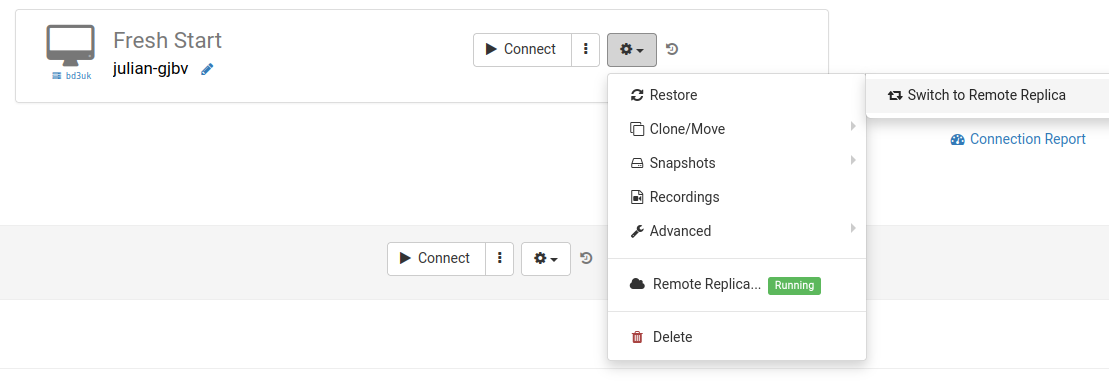
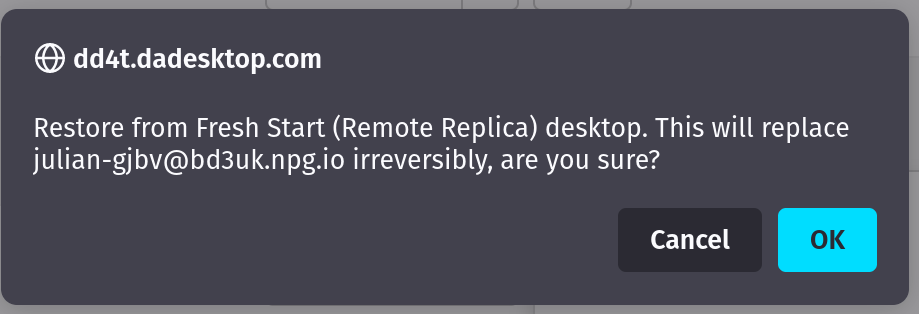
After you’ve switched, you cannot return to the original desktop—but that’s fine, because the replica is a precise clone.
Keep in mind that once you’re using the Remote Replica desktop, the replication process stops. To create another replica, you’ll need to go through the initial setup steps again.

Second scenario: Use a Replica for FreshStart in a different geographic region to lower latency
Remote Replica comes in handy when you need a copy of your Fresh Start machine located closer to you while building course content. For instance, a trainer based in Germany is delivering a course in South Africa—a typical scenario with DaDesktop, which simplifies cross‑continent setups.
Here, you wouldn’t want the course’s Fresh Start desktop hosted on a South African server, because the latency would be too high. Instead, you’d set up a Remote Replica in Europe to keep lag to a minimum, and it will stay in sync with any edits you make.
Once you’ve finished your work, restore the Remote Replica onto the trainer’s machine in South Africa for speedy duplication to both the trainer’s and participants’ machines.