My Account
Every user can adjust several settings within their account.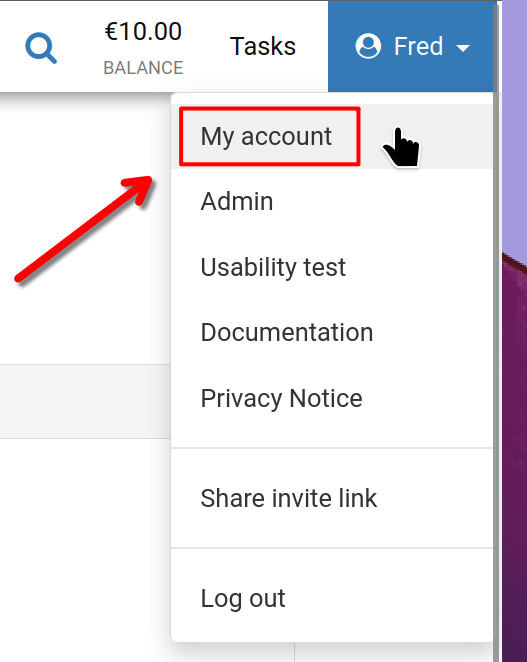
To begin, click your username in the top-right corner of the screen, then select 'My account' as illustrated.
My Account
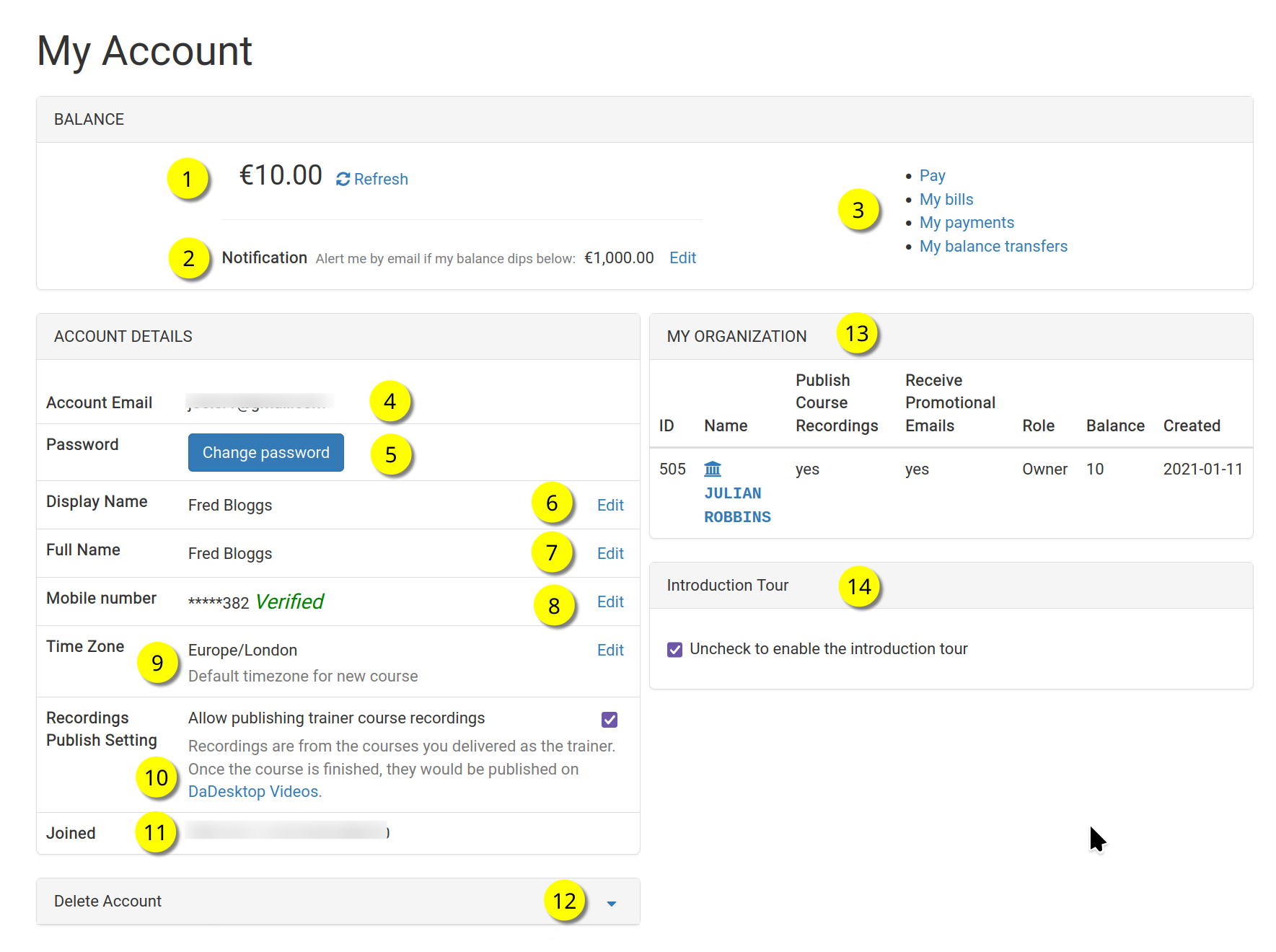
Here, you'll find the 'My Account' page.
Refer to the numbered callouts below for a breakdown of each feature.
Legend
| Description | ||
|---|---|---|
| 1 | Balance | Displays the user's current balance. |
| 2 | Notification | Set a balance threshold; an email alert will be sent if the balance drops below that amount. |
| 3 | Billing Links | This area provides quick links to Payment, Balance, Past Payments, and Balance Transfers. |
| 4 | Account Email | This email address cannot be modified. |
| 5 | Password | Update your password here. |
| 6 | Display Name | The name others see you as; you can change it whenever needed. |
| 7 | Full Name | Your full name, editable at any time. |
| 8 | Mobile Number | Can be updated as necessary. |
| 9 | Timezone | Ensures all timestamps appear in your local time zone. |
| 10 | Recordings Publishing Setting | For trainers: decide whether to allow course recordings from this machine to be published on the dadesktop.com/videos site. |
| 11 | Joined | The date you registered with DaDesktop. |
| 12 | Delete Account | To permanently remove your dadesktop account, click here. All associated data will be deleted. |
| 13 | My Organisation | Each user can add an organisation to their account. This section shows the organisation's details. |
| 14 | Introduction Tour | Uncheck this box to re-enable the introductory tour. The tour will then appear on your next visit. |