Multi-region support
The trainer completes the preparation of the standalone instance.
-
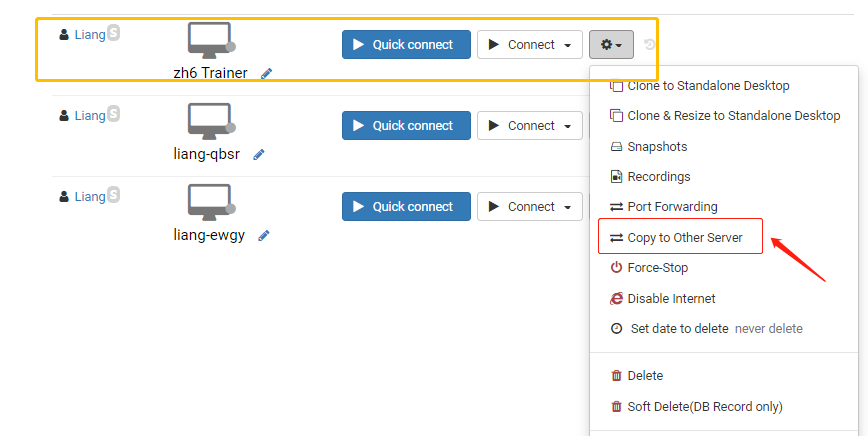
The trainer opens the Action menu and selects "clone to another server".
-
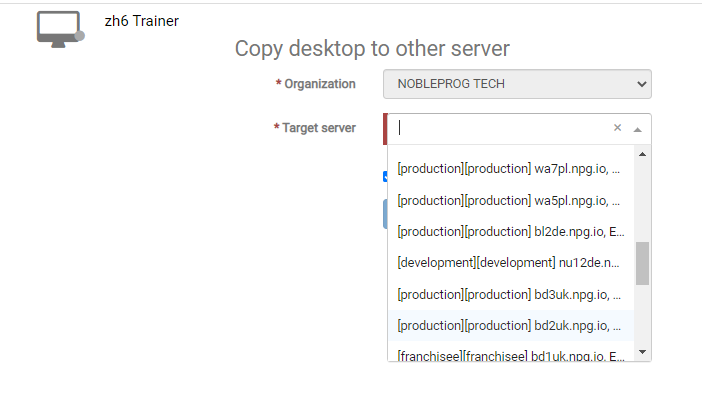
Choose the necessary server delegates to ensure a quick connection.
-
Head back to the course Desktops and select "clone from standalone" to copy the suitable servers.
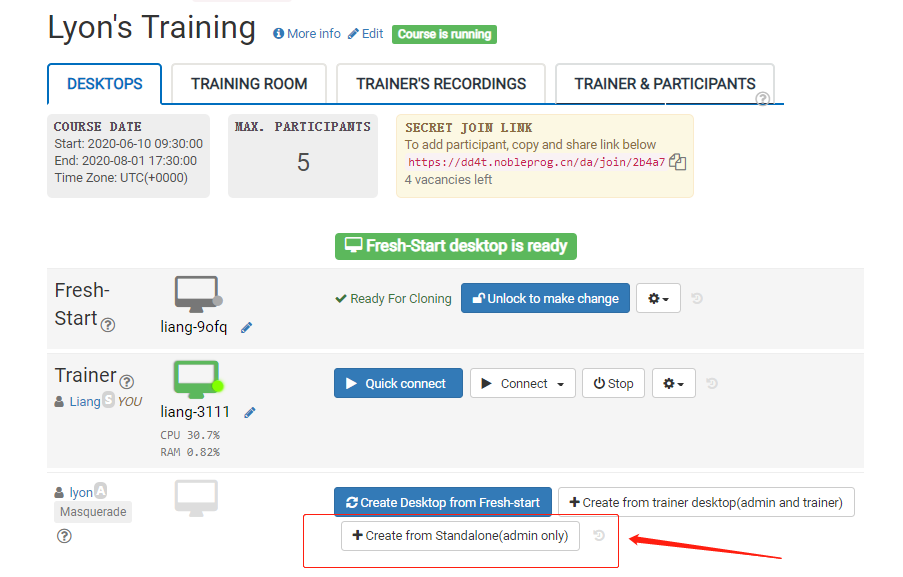
- Delegates can then access the DaDesktop (Virtual Machine), relying on the best connection available from their locations across Italy.