Course VPN Overview
The Course VPN (CVPN) feature enables desktops to establish direct access to one another.
By default, this functionality is active. CVPN facilitates seamless communication between any desktops within a specific course, irrespective of their assigned server or data centre location.
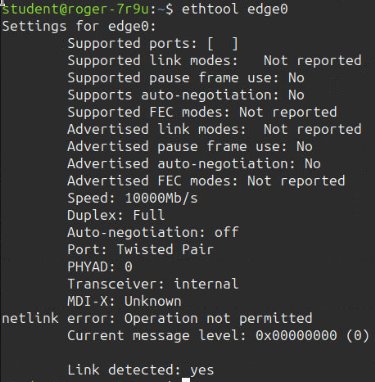
Refer to the terminal screenshots below, which illustrate the CVPN interface as viewed from the command line.
Terminal IP Addresses:
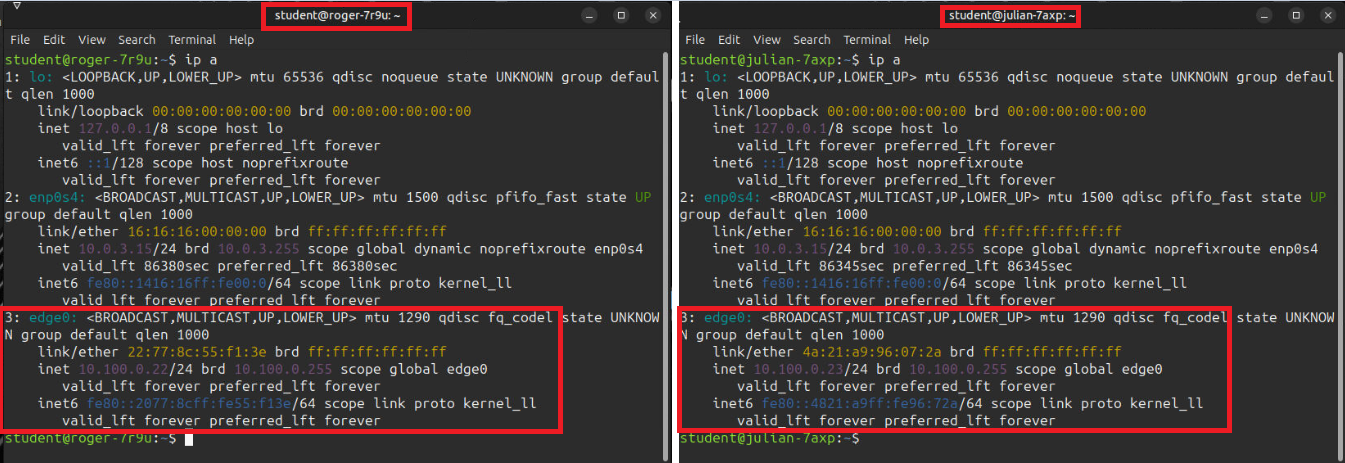
The following screenshots depict the VPN network interface generated when training workstations are created. Here, two student workstation terminals display the `edge0` network interface, which corresponds to the Course VPN. Note that each address is distinct and unique, allowing you to use these addresses to communicate between the two machines.
Additional Properties: